


Wacom DTH246EK0B
With the Wacom DTH246EK0B interactive pen and finger-touch display, you can teach from the media desk whilst facing your audience at all times. 8,192 pressure levels ensure a writing experience just like on paper. inobjekt integrates the display into teachers’ desks and lecturers’ podiums in a user-friendly and theft-proof manner.
Pen and finger touch
Intuitive operation with the stylus or finger. The finger touch function can easily be temporarily deactivated at the touch of a button.
8,192 pressure levels
Sensitive writing feel like on paper on the 23.8″ pen and finger touch display
with a resolution of 2560 x 1440 pixels
Without royalties
Work with freeware such as OpenBoard, freehand tools in MS Office and all other programmes on your own computer
Good reasons for using digital teaching in schools and universities
With an interactive pen- and finger-touch display such as the DTH246EK0B will be available to you on a permanent basis turned towards the audiencehe teaching is made possible. While the teacher or the lecturer is Listeners permanently in view retains, the listeners have clear view onto the image projected onto the wall by a projector or display. The pressure-sensitive pen, with 8,192 pressure levels, enables Writing feeling like on paper and creating appealing blackboard pictures and sketches.
The display therefore serves either as Optimal supplement or alternative to the chalkboard or a large interactive display on the wall. It can also be easily integrated into existing infrastructures integrate: Projectors, large displays, computers and document cameras already present in the classroom or lecture hall can usually continue to be used. Individual components can be easily replaced at a later date.
Freely assignable buttons on the device and pen enable functions such as calling up the on-screen keyboard or switching the finger touch function on and off in seconds for even more comfortable working with the pen. The display is also available as a Standard stylus display model „DTK246EK0B“ available.
Optimal equipment for hybrid teaching and distance learning
The setting of face-to-face teaching can also be used excellently for hybrid teaching and distance learning. Teachers and lecturers can work permanently in the line of sight of the camera, while the screen content of the display is transmitted in parallel to the camera.
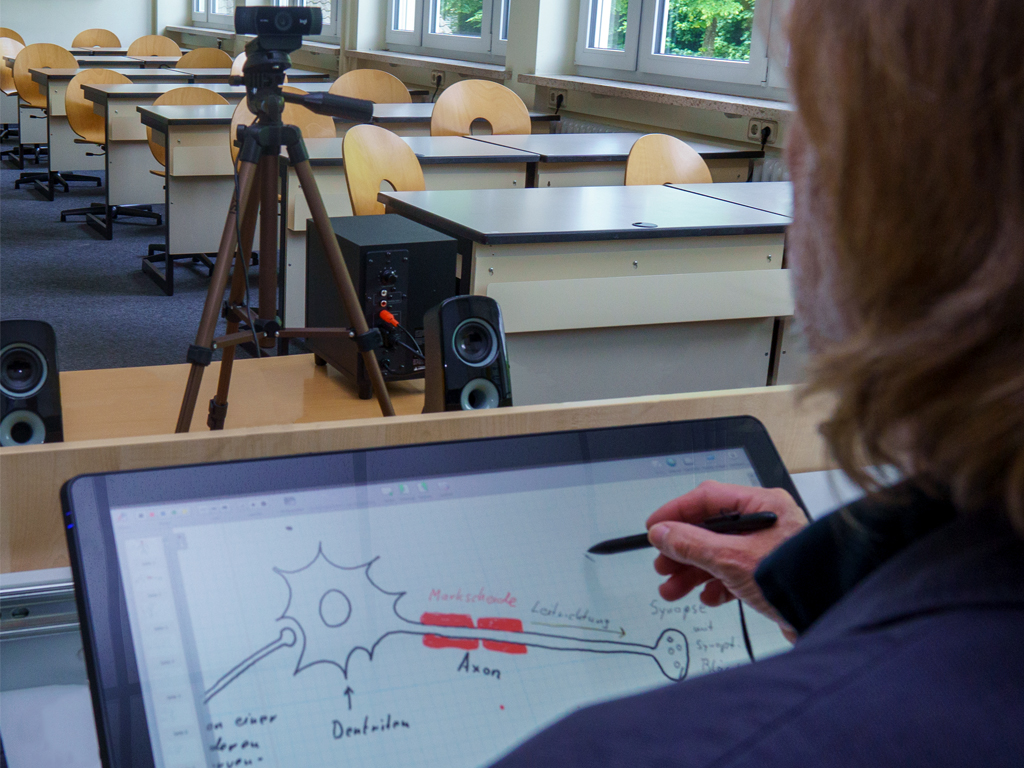
Since the display is connected to its own PC, the DTH-2452 also allows you to work in your familiar environment with the familiar user interface of the PC. Through open source software like OpenBoard and the familiar Microsoft Office programmes (e.g. freehand functions in PowerPoint, Excel and OneNote), all the necessary functions for teaching are covered. Thus, in principle, there are also No follow-up costs or licence fees for use. At the same time, there are no limits when it comes to software and you can easily use all the programs supported by your operating system. Wacom offers you Matching drivers for the Windows 10 / 11 (64-bit) and macOS 13 or later operating systems.
Perfectly integrated in the classroom and lecture hall
inobjekt integrates the DTH246EK0B and other (interactive) displays in a user-friendly way into Media tables and Media lecterns for schools and universities. We support you in the success of digital teaching with interactive displays, computers, document cameras and media controls. With the Bracket developed by inobjekt the display can be placed completely horizontally, allowing you to write as if on paper. In addition, we pay attention to a Ergonomically comfortable working height, the Working while standing and sitting enables, as well as on Theft and vandalism security. With wheelchair accessible furniture, we show that inclusion and digital teaching can complement each other perfectly.
Examples of successful integration:
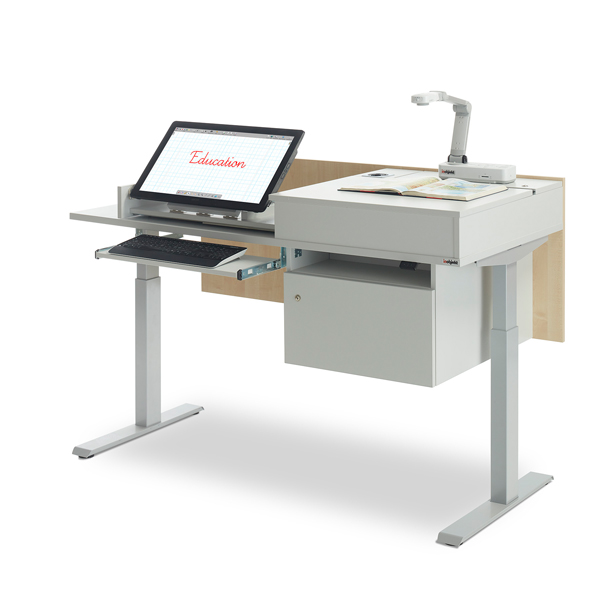
Media desk ino.vation
Our teacher's desk or media desk ino.vation convinces with the secure accommodation of all devices. An (interactive) display, document camera, computer and other media technology are safely integrated. With the electromotive height adjustment, the media table enables ergonomically comfortable teaching.
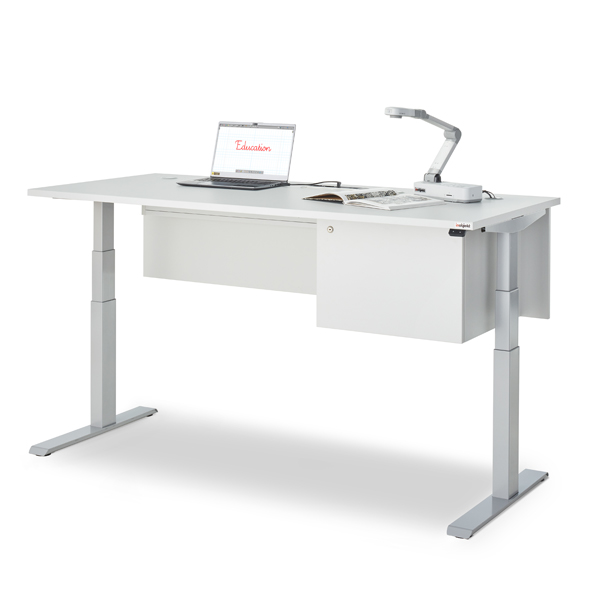
Media desk ino.basic
Our teacher's desk or lecturer's workstation ino.basic convinces with its multiple equipment options. Connection panels, media controls, displays, document cameras and other media technology can be integrated into the media table in a user-friendly way. The electromotive height adjustment enables ergonomically comfortable teaching.
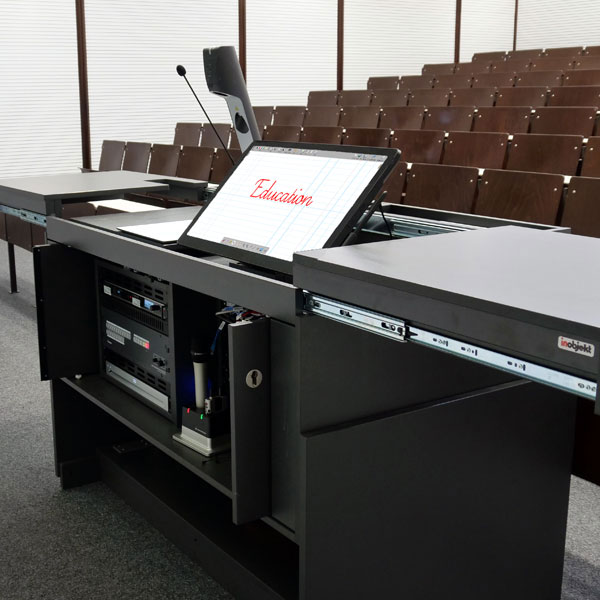
Lecturer's desk teach.duo
In addition to enormous storage space for media technology of all kinds, our teach.duo lecturer's desk also offers the best conditions for successful digital teaching: the (interactive) display and the document camera are securely closed by sliding panels on the sides. The electric height adjustment ensures a comfortable working height.
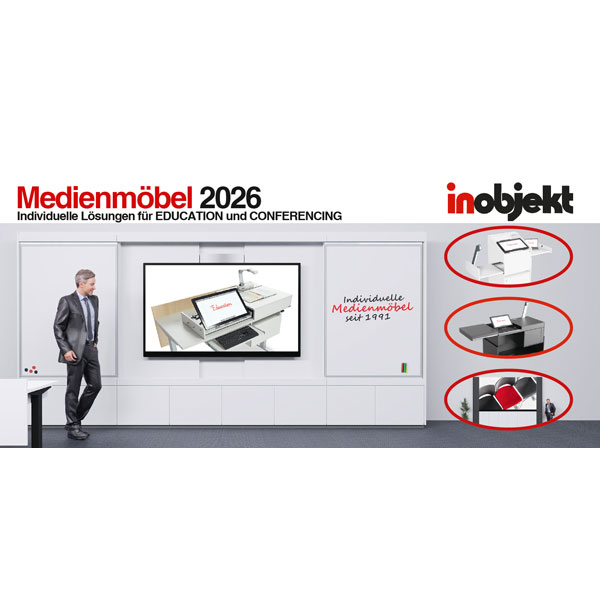
Prospectus: Media units 2026
Our Media Furniture Catalogue 2026 points out 48 pages the comprehensive inobjekt portfolio from the areas of EDUCATION & CONFERENCING. Download your digital version directly here. Printed copies are available on request.
 English (UK)